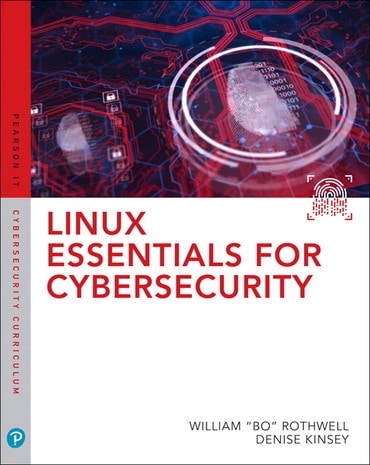
Linux Essentials for Cybersecurity, 1st edition

Published by Pearson IT Certification (July 30, 2018) © 2019

  • William Rothwell Lead instructor and courseware developer
  • Denise Kinsey
Products list

Access details

  • Instant access once purchased
  • Fulfilled by VitalSource

Title overview

Linux distributions are widely used by technical professionals to support mission-critical applications and manage crucial data. But safeguarding Linux systems can be complex, and many guides to Linux usage and certification provide only superficial coverage of security. Linux Essentials for Cybersecurity is the solution. Part of the new Pearson IT Cybersecurity Curriculum (ITCC), it introduces Linux with the primary goal of enforcing and troubleshooting security. Leading Linux certification and security experts William “Bo” Rothwell and Denise Pheils, PhD offer a layered approach to security that helps readers protect their Linux systems even if one or more layers are penetrated.

Rothwell and Pheils show how to install Linux to achieve optimal security right from the outset, even if you have no experience with Linux at all. Next the authors present best practices for the secure day-to-day administration of accounts, devices, services, processes, data, networks, and more. To increase readers’ sophistication in defending Linux systems, the authors also walk through the use of powerful tools and automated scripting techniques for footprinting, penetration testing, threat detection, logging, auditing, software management, and more. Finally, to help readers earn certification and demonstrate their abilities, the authors cover many key topics found on the CompTIA Linux+ and LPIC-1 certification exams.

This guide’s features include:

  • Logical organisation designed for easy understanding, effective classroom use, and rapid on-the-job-training
  • Strong emphasis on modern real-world security troubleshooting techniques throughout -- not just in separate sections
  • Real-world examples and step-by-step activities that permit hands-on practice without expensive equipment
  • Key terms, chapter objectives, review questions, and more

The full text downloaded to your computer

With eBooks you can:

  • search for key concepts, words and phrases
  • make highlights and notes as you study
  • share your notes with friends

eBooks are downloaded to your computer and accessible either offline through the Bookshelf (available as a free download), available online and also via the iPad and Android apps.

Upon purchase, you'll gain instant access to this eBook.

Time limit

The eBooks products do not have an expiry date. You will continue to access your digital ebook products whilst you have your Bookshelf installed.

Table of contents

  • Introduction
  • Part I: Introducing Linux
  • 1. Distributions and Key Components
  • 2. Working on the Command Line
  • 3. Getting Help
  • 4. Editing Files
  • 5. When Things Go Wrong
  • Part II: User and Group Accounts
  • 6. Managing Group Accounts
  • 7. Managing User Accounts
  • 8. Developing an Account Security Policy
  • Part III: File and Data Storage
  • 9. File Permissions
  • 10. Managing Local Storage
  • 11. Managing Network Storage
  • 12. Developing a Storage Security Policy
  • Part IV: Automation
  • 13. Crontab and at
  • 14. Scripting
  • 15. Common Automation Tasks
  • 16. Developing an Automation Security Policy
  • Part V: Networking
  • 17. Networking Basics
  • 18. Network Configuration
  • 19. Network Service Configuration
  • 20. Connecting to Remote Systems
  • 21. Developing a Network Security Policy
  • Part VI: Process and Log Administration
  • 22. Process Control
  • 23. System Logging
  • 24. Developing a Process and Log Security Policy
  • Part VII: Software Management
  • 25. Red Hat-based Software Management
  • 26. Debian-based Software Management
  • 27. Additional Management Tools
  • 28. System Booting
  • 29. Developing a Software Management Security Policy
  • Part VIII: Security Tasks
  • 30. Footprinting
  • 31. Firewalls
  • 32. Intrusion Detection Systems
  • 33. Additional Security Tasks
  • Appendix A. Resource Guide
  • Glossary

Need help?Get in touch